EN
EN
 AR
AR BG
BG HR
HR CS
CS DA
DA NL
NL FI
FI FR
FR DE
DE EL
EL HI
HI IT
IT JA
JA KO
KO NO
NO PL
PL PT
PT RO
RO RU
RU ES
ES SV
SV IW
IW ID
ID LV
LV LT
LT SR
SR VI
VI SQ
SQ ET
ET HU
HU TH
TH TR
TR FA
FA MS
MS
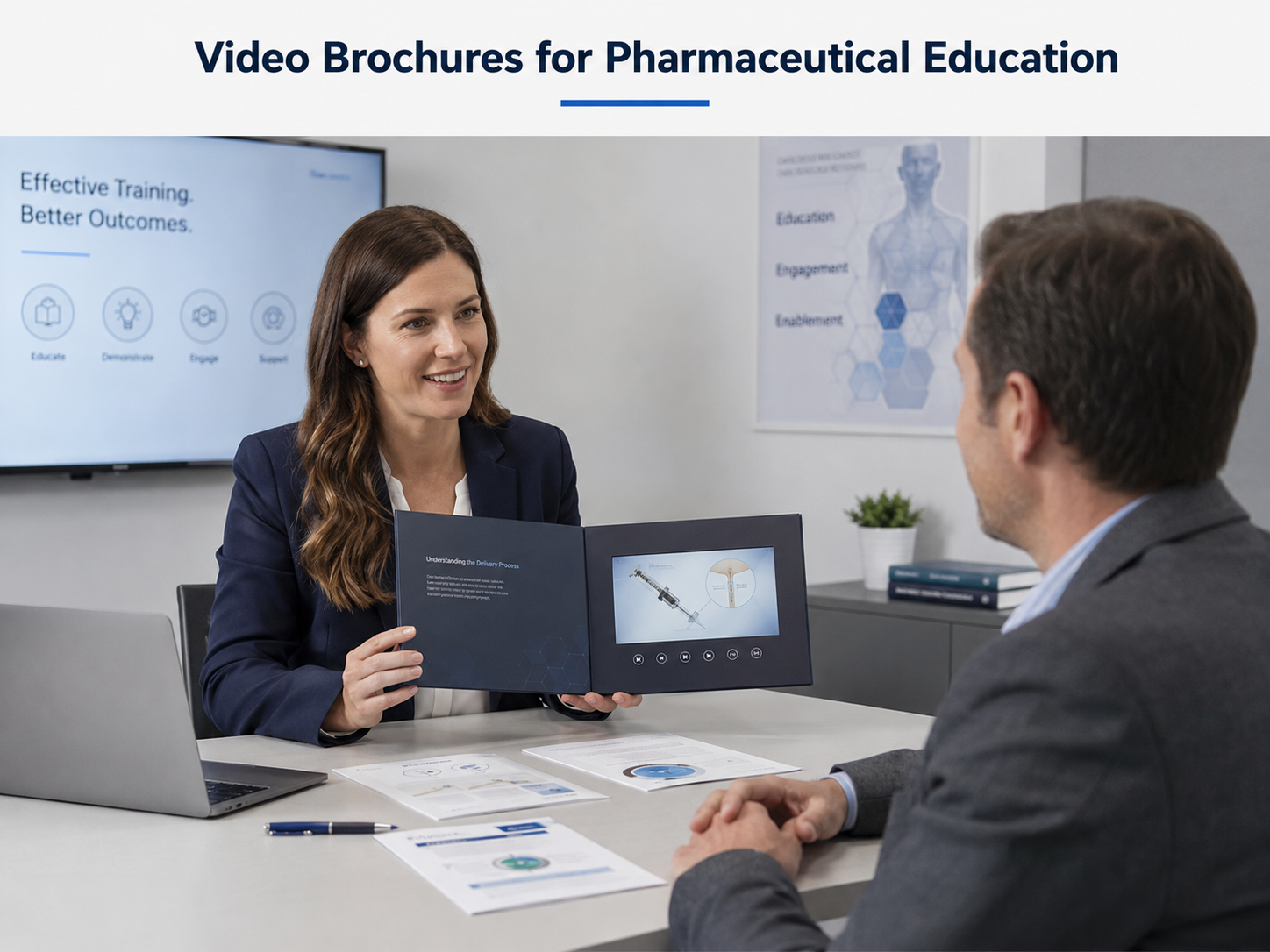
How Pharmaceutical Teams Can Use Video Brochures for Product and Patient Education
Pharmaceutical education often depends on presenting approved information clearly and consistently across different locations.
However, sales visits, conferences, training sessions and patient-education settings may not always have reliable internet access, suitable presentation equipment or time for complicated setup.
A video brochure for pharmaceutical education provides a portable way to combine printed information with preloaded video content in one self-contained presentation format.
It can support product education, internal training and approved patient-information programs without relying on Wi-Fi or an external computer.
Why Offline Video Presentation Can Be Useful
In many presentation environments, relying on online content introduces practical risks.
These may include:
- Unstable Wi-Fi
- Restricted network access
- Limited mobile signal
- No available display equipment
- Inconsistent presentation devices
- Difficulty accessing the correct video version
A preloaded video brochure keeps the approved content inside the presentation unit.
The user can open the brochure and access the prepared video directly, making it useful for portable and repeatable communication.
Product Education for Healthcare Professionals
Pharmaceutical marketing and education teams may use video brochures to present approved product information during meetings or field visits.
Depending on the project, the content may include:
- Product introduction
- Mechanism or process animations
- Device-use demonstrations
- Approved product information
- Frequently discussed topics
- Conference follow-up content
Printed pages can support the video with key messages, diagrams, contact information or references.
The purpose is not to replace regulated documentation, but to provide another presentation format for content that has already been reviewed and approved by the responsible organization.
Internal Training and Field-Team Education
Video brochures can also support internal education.
For example, training teams may preload:
- Product training videos
- Launch information
- Sales presentation guidance
- Device demonstrations
- Internal process explanations
This can be useful when the same training content needs to be presented to teams in different locations.
Because the content is stored locally, each unit can present the same prepared version without depending on a live connection.
Patient Education Applications
For suitable programs, video brochures may also be used to present approved educational information to patients or caregivers.
Possible content may include:
- Product-use instructions
- Device operation
- Preparation steps
- General educational information
- Follow-up instructions
- Support-program introductions
The content should remain clear, concise and appropriate for the intended audience.
Any medical, regulatory or compliance review remains the responsibility of the pharmaceutical company or other responsible content owner.
Useful for Meetings, Conferences and Sales Visits
Portability is one of the practical advantages of video brochures.
They can be used in:
- Healthcare professional meetings
- Medical conferences
- Sales representative visits
- Product launches
- Training sessions
- Agency presentations
- Small-group education
Unlike a laptop presentation, a video brochure requires less setup and can be handed directly to the viewer.
This makes it especially useful for one-to-one or small-group viewing.
Choose the Screen Size for the Viewing Setting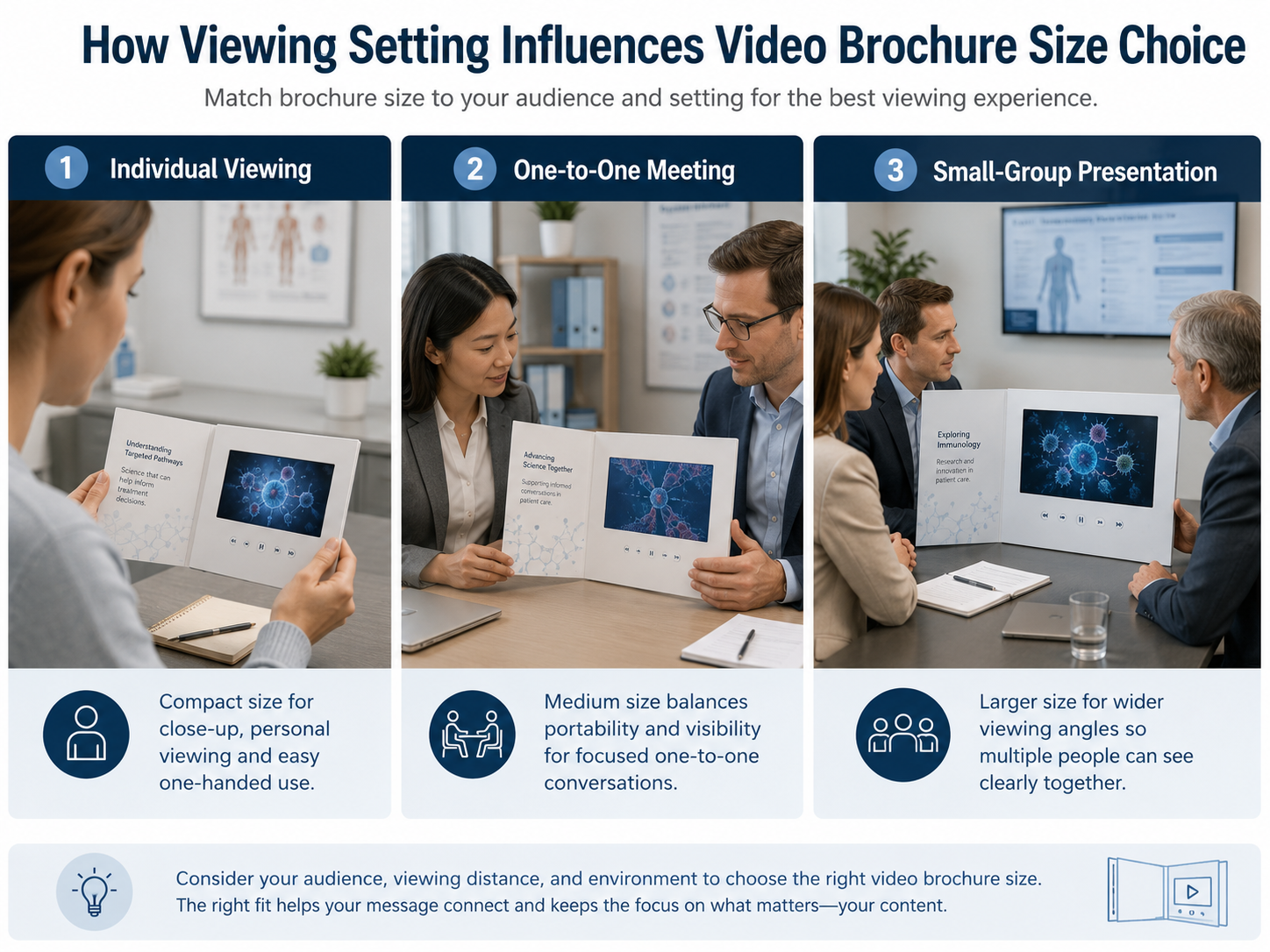
Screen size should be selected according to how the brochure will be used.
Smaller displays can work for close, individual viewing, while larger screens are more suitable when visual detail is important or several people may watch together.
A practical selection approach is:
|
Viewing Situation |
Suggested Direction |
|
Individual close viewing |
Compact screen |
|
Sales representative meeting |
Medium screen |
|
Detailed training content |
Medium to larger screen |
|
Small-group presentation |
Larger screen |
|
Premium presentation format |
Large-format video brochure |
The screen should also match the overall brochure dimensions, printed layout and portability requirements.
A larger screen is not automatically the best option if the brochure becomes unnecessarily heavy or difficult to carry.
Keep Video Content Focused
Video length should match the presentation environment.
For field visits or short meetings, concise videos are easier to use than long presentations.
Consider dividing information into separate videos when the project covers several topics.
For example:
-
Product Overview
-
Device Demonstration
-
Patient Education
- Frequently Asked Questions
If multiple videos are required, customized buttons may help users select the relevant section instead of watching one long sequence.
Manage Video Versions Carefully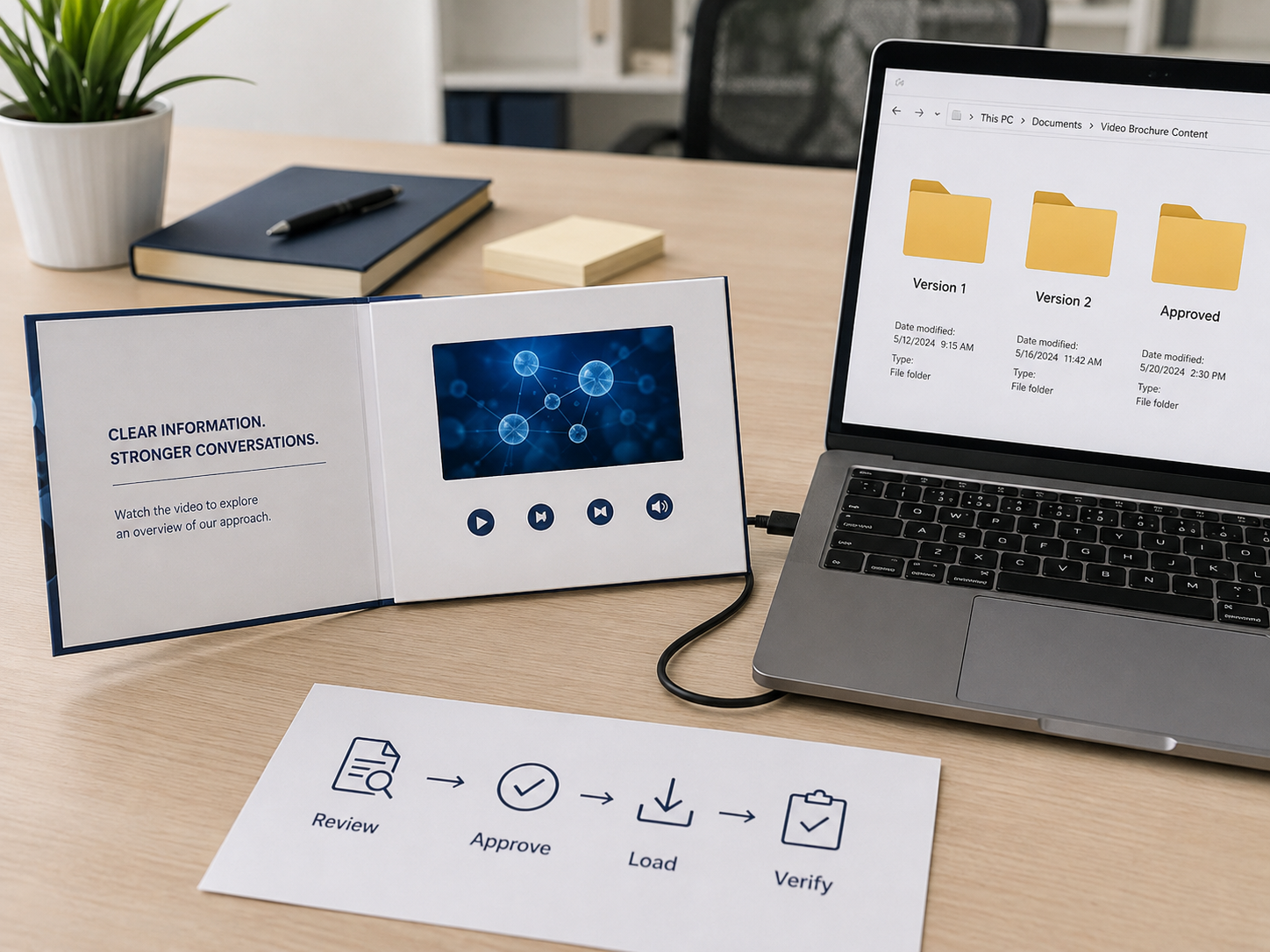
For pharmaceutical projects, content version management is especially important.
Before production, confirm:
- Final approved video file
- Correct language version
- File naming
- Playback order
- Subtitle version
- Audio version
- Printed artwork version
If content changes frequently, the project team should also confirm how updated files will be managed.
Depending on the selected video module, content may be uploaded through USB or another supported method. The exact update process should be confirmed for the selected configuration.
A clear version-control process helps reduce the risk of different units carrying different content.
Test the Complete Sample Before Production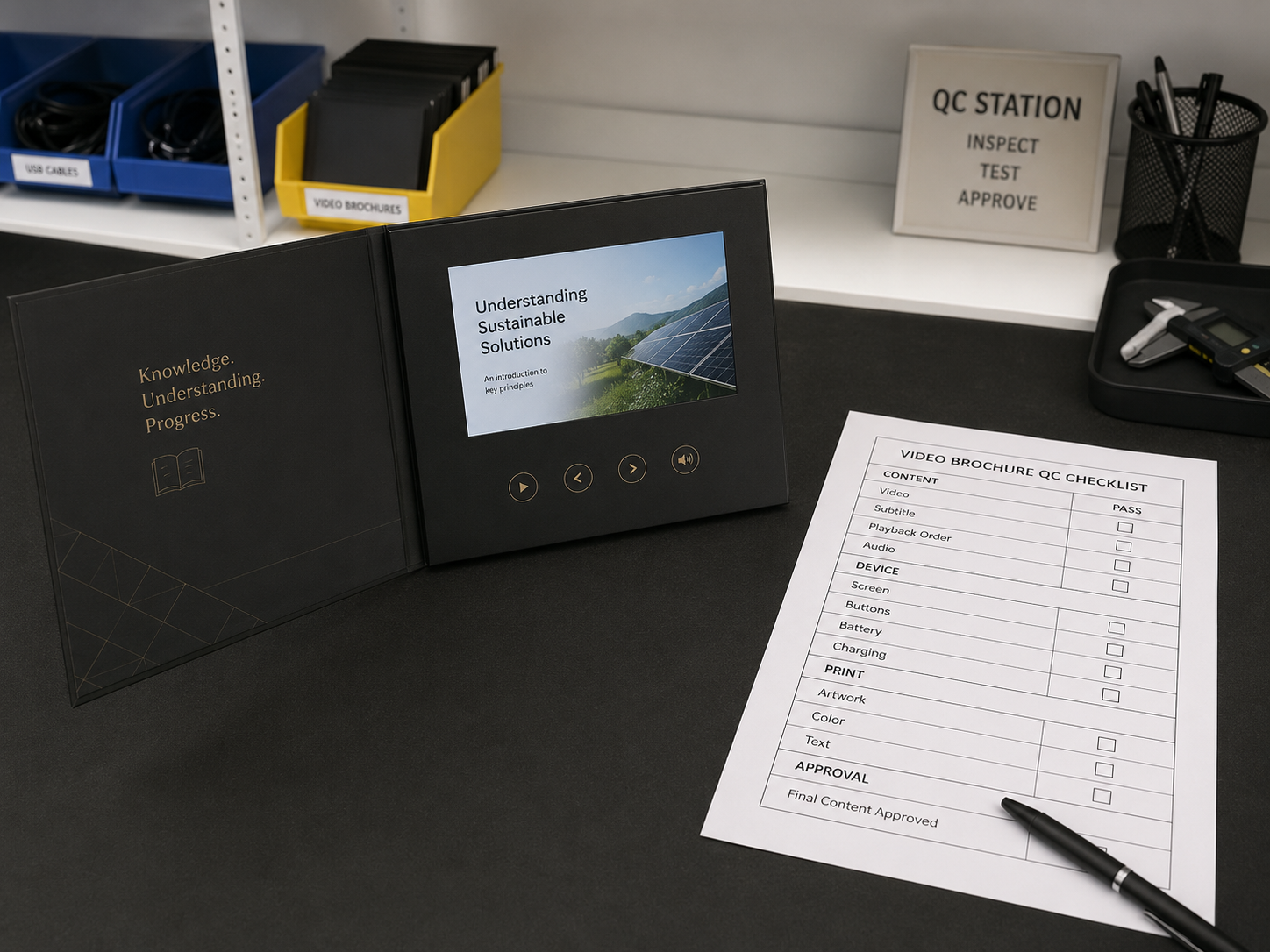
A pharmaceutical video brochure sample should be reviewed as a complete communication tool.
The approval process should include:
Content
- Correct approved video
- Correct text and graphics
- Subtitle readability
- Playback order
- Audio clarity
Electronics
- Screen performance
- Buttons
- Volume
- Battery
- Charging
- Automatic playback if specified
Printed Material
- Artwork
- Color
- Text clarity
- Logo
- Surface finish
User Experience
- Opening sequence
- Viewing angle
- Button clarity
- Portability
- Overall presentation flow
The sample should be approved by the relevant internal teams before mass production.
Compliance Review Remains with the Content Owner
A video brochure is a presentation format, not a medical or regulatory approval system.
The pharmaceutical company or responsible organization should review and approve:
- Medical claims
- Product information
- Patient instructions
- Disclaimers
- Required references
- Local regulatory requirements
- Final video and printed content
The manufacturer should produce the brochure according to the approved specifications but should not determine whether pharmaceutical content complies with medical regulations.
What to Prepare Before Requesting a Quote
To evaluate a suitable video brochure structure, prepare:
- Target audience
- Viewing environment
- Preferred brochure size
- Video duration
- Number of videos
- Screen-size preference
- Required buttons
- Audio requirements
- Content update requirements
- Quantity
- Delivery destination
Providing this information early makes it easier to recommend a suitable screen, battery, memory and brochure structure.
Final Recommendation
A video brochure can be a practical option when pharmaceutical teams need to present approved educational video content without depending on internet access or external presentation equipment.
The best configuration depends on the audience, viewing environment, content length and level of portability required.
Content approval and regulatory review should always remain with the pharmaceutical company or responsible content owner.
Share the audience, viewing setting and approved content format to discuss a suitable video brochure structure.
FAQ
Can a video brochure work without internet access?
Yes. Video content can be preloaded into the device, allowing playback without Wi-Fi or a separate computer.
Can a video brochure contain several pharmaceutical education videos?
Depending on the selected configuration, multiple videos and dedicated selection buttons may be possible. The required playback logic should be confirmed before development.
What screen size is suitable for pharmaceutical education?
The right size depends on the audience and viewing environment. Compact screens work well for individual viewing, while larger screens are more suitable for detailed or small-group presentations.
Who is responsible for pharmaceutical compliance review?
The pharmaceutical company or responsible content owner should review and approve medical, regulatory and patient-facing content before production.
Table of Contents
- Why Offline Video Presentation Can Be Useful
- Product Education for Healthcare Professionals
- Internal Training and Field-Team Education
- Patient Education Applications
- Useful for Meetings, Conferences and Sales Visits
- Choose the Screen Size for the Viewing Setting
- Keep Video Content Focused
- Manage Video Versions Carefully
- Test the Complete Sample Before Production
- Compliance Review Remains with the Content Owner
- What to Prepare Before Requesting a Quote
- Final Recommendation
- FAQ