Choosing the right custom video brochure screen size is not simply a matter of selecting the largest display available. The best option depends on how the brochure will be used, how far the viewer will sit from the screen, how much printed information is required and how portable the final product needs to be.
A compact 2.4-inch screen may work well for a short personal introduction, while a 7-inch or 10-inch screen may be more suitable for detailed presentations or premium sales kits. The goal is to balance screen visibility, printed layout, portability and project cost.
Before choosing a screen, define where and how the video brochure will be viewed
A brochure used during a face-to-face sales meeting has different requirements from one mailed directly to prospects. A portable piece designed for individual viewing can use a smaller screen, while a brochure placed on a meeting table or used for a group presentation may need a larger display.
Consider these questions:
These factors are often more important than screen size alone.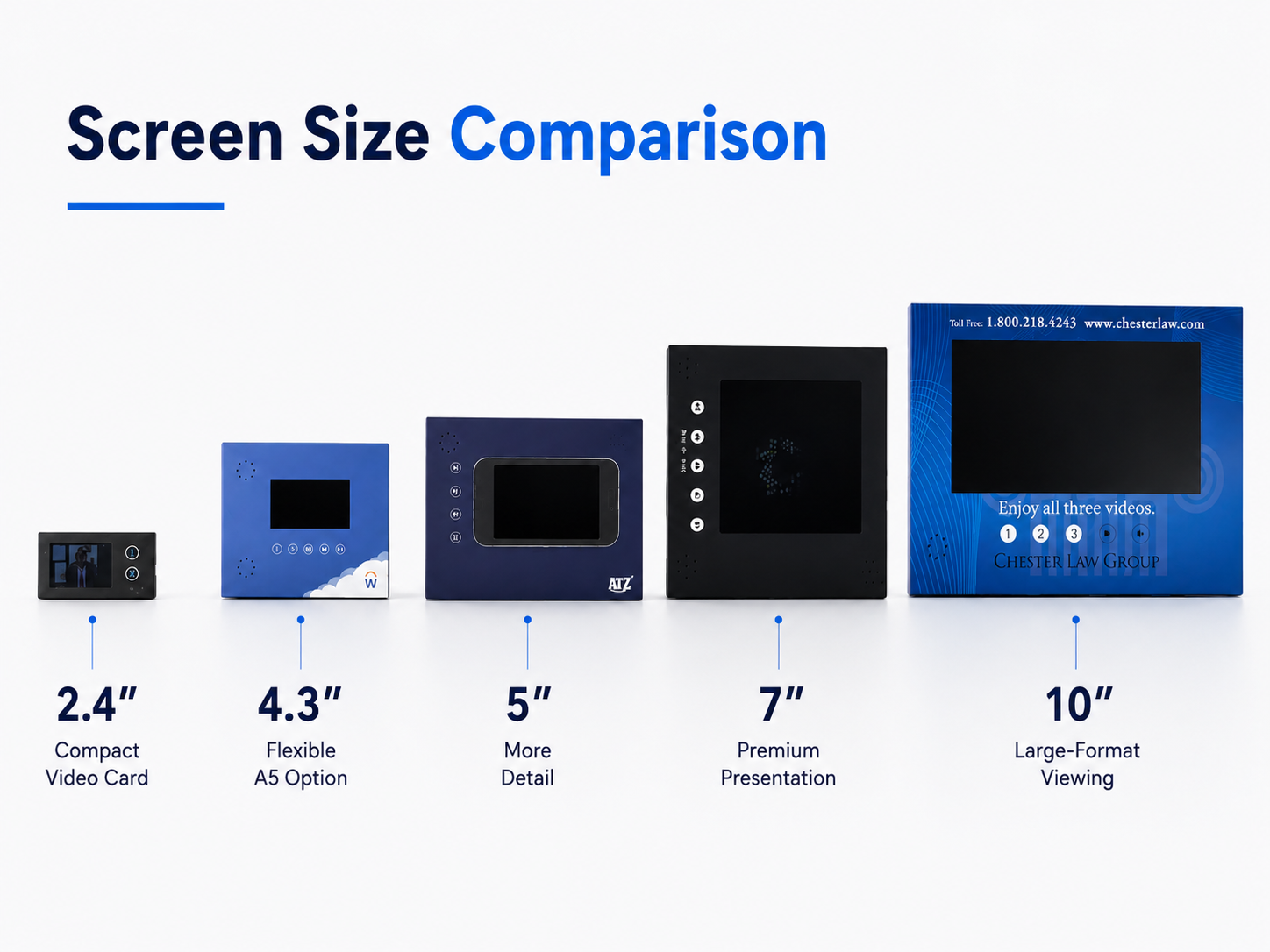
A 2.4-inch screen is suitable for compact video cards and business-card-style formats. It works best for short videos with simple visuals, such as:
The main advantage is portability. A smaller product is easier to carry, store and distribute in larger quantities.
However, detailed interfaces, subtitles and complex product demonstrations may be difficult to view on a small screen. For this reason, the video should use large text, strong contrast and simple visual sequences.
Best fit: short content, close viewing and compact distribution.
The 4.3-inch screen is one of the most flexible choices for custom video brochures. It offers more visual space than a small video card while keeping the overall brochure relatively portable.
It can work well with A5-style formats and is suitable for:
This size usually provides enough space for product footage, customer-facing presentations and basic subtitles without making the printed piece too large.
For many projects, 4.3 inches offers a practical balance between visibility, format size and budget.
Best fit: general B2B marketing, A5 brochures and individual viewing.
A 5-inch screen provides additional viewing space without moving into a much larger presentation format.
It is useful when the video contains:
A 5-inch screen can still work within a relatively compact brochure, but the outer dimensions must leave enough room for the screen, control buttons, printed content and structural support.
Best fit: content requiring clearer detail while maintaining portability.
A 7-inch screen is suitable for presentations where visual detail and perceived value are more important than compact size.
Common applications include:
A 7-inch screen normally requires a larger brochure or hard-cover structure. It can provide a more comfortable viewing experience for longer videos, detailed product footage and presentation-style content.
The trade-off is that the finished product will be larger, heavier and generally more expensive to produce and ship.
Best fit: premium projects, detailed presentations and table-based viewing.
A 10-inch screen is most appropriate when the video is the main focus of the entire presentation.
It may be selected for:
The larger display can support detailed visuals and longer-form content, but it also requires more structural space. The brochure must be engineered carefully to support the screen, battery, speakers and internal components.
A 10-inch screen is not automatically the best choice. For direct mail, portable sales visits or short videos, it may add unnecessary size and cost.
Best fit: A4 presentations, group viewing and visually detailed content.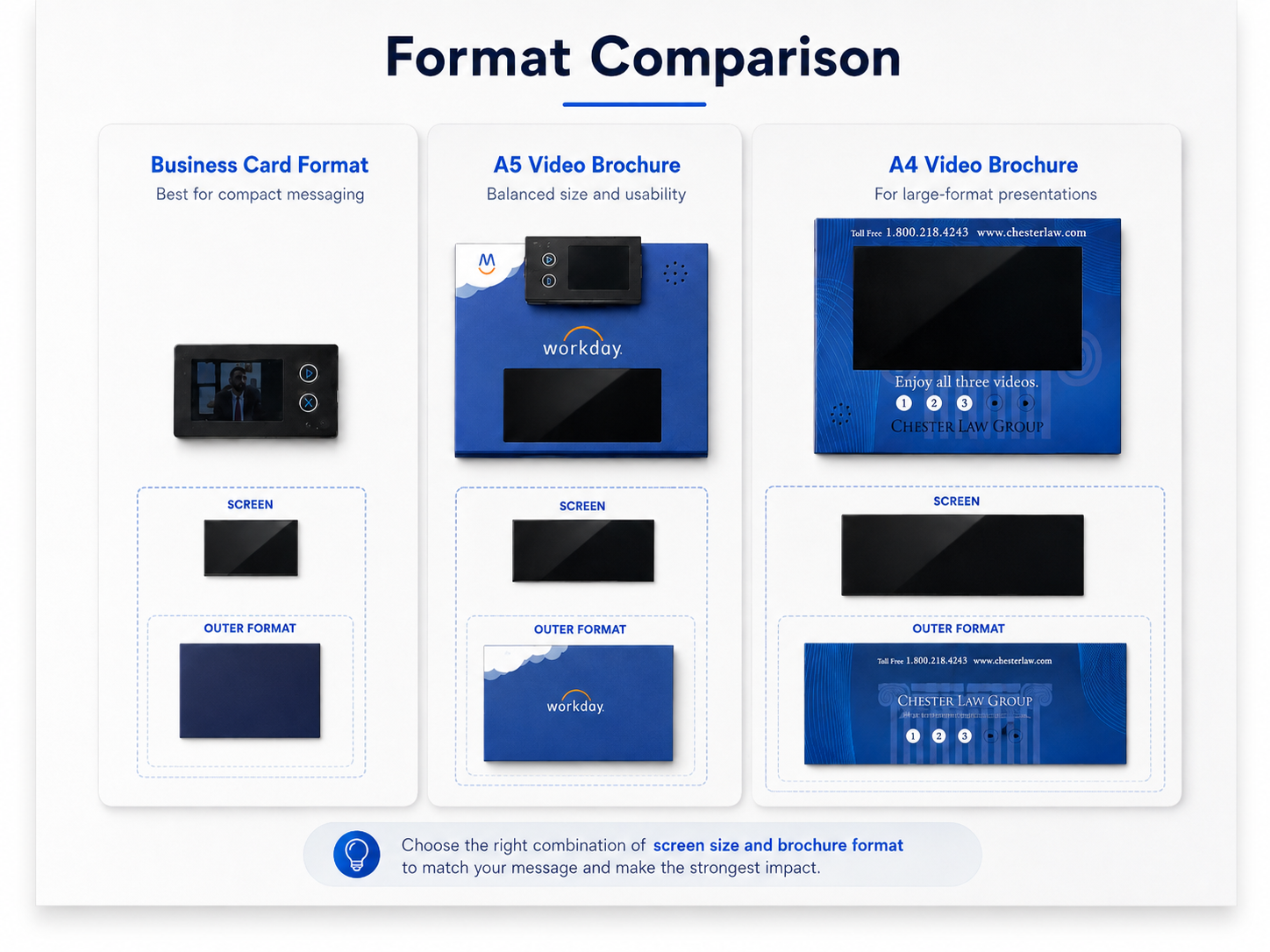
The screen cannot be selected independently from the brochure format.
A compact business-card-style product is usually better suited to a 2.4-inch screen. A5 brochures commonly work with 4.3-inch, 5-inch or selected 7-inch configurations. A4 and large hard-cover formats provide more space for 7-inch and 10-inch displays.
The printed area must also accommodate:
A screen that is too large for the format can make the brochure feel crowded. A screen that is too small may appear visually weak inside a large presentation folder.
Compare the Main Screen Sizes
|
Screen size |
Recommended format |
Typical use |
Main advantage |
Main limitation |
|
2.4inch |
Video card / compact format |
Invitations, short messages |
Portable and easy to distribute |
Limited detail |
|
4.3 inch |
A5 or compact brochure |
General sales and marketing |
Balanced size and usability |
Less suitable for group viewing |
|
5 inch |
A5 or medium format |
Product demonstrations |
Better detail without excessive size |
Requires more layout space |
|
7 inch |
Large A5 / presentation format |
Premium presentations |
Strong visual impact |
Larger and heavier |
|
10 inch |
A4 or large format |
Executive and group presentations |
Best visibility |
Higher size, weight and cost |
Exact resolution, memory, battery and outer dimensions should be confirmed according to the selected model and project structure. Valsen’s product range includes multiple video brochure sizes and formats, but individual specifications are not identical across all models.
What to Prepare Before Requesting a Quote
To receive a useful screen-size recommendation, prepare the following information:
Target audience
Number of viewers at one time
Video length
Type of video content
Preferred brochure dimensions
Printed content requirements
Distribution or presentation method
Required quantity
Target delivery destination
Preferred budget level
You should also clarify whether the project requires functional buttons, automatic playback, USB content loading, custom printing or a hard-cover structure. These options should always be confirmed for the specific model rather than assumed to be standard across the entire range.
Final Recommendation
The right screen is the one that supports the communication task without making the brochure unnecessarily large or expensive.
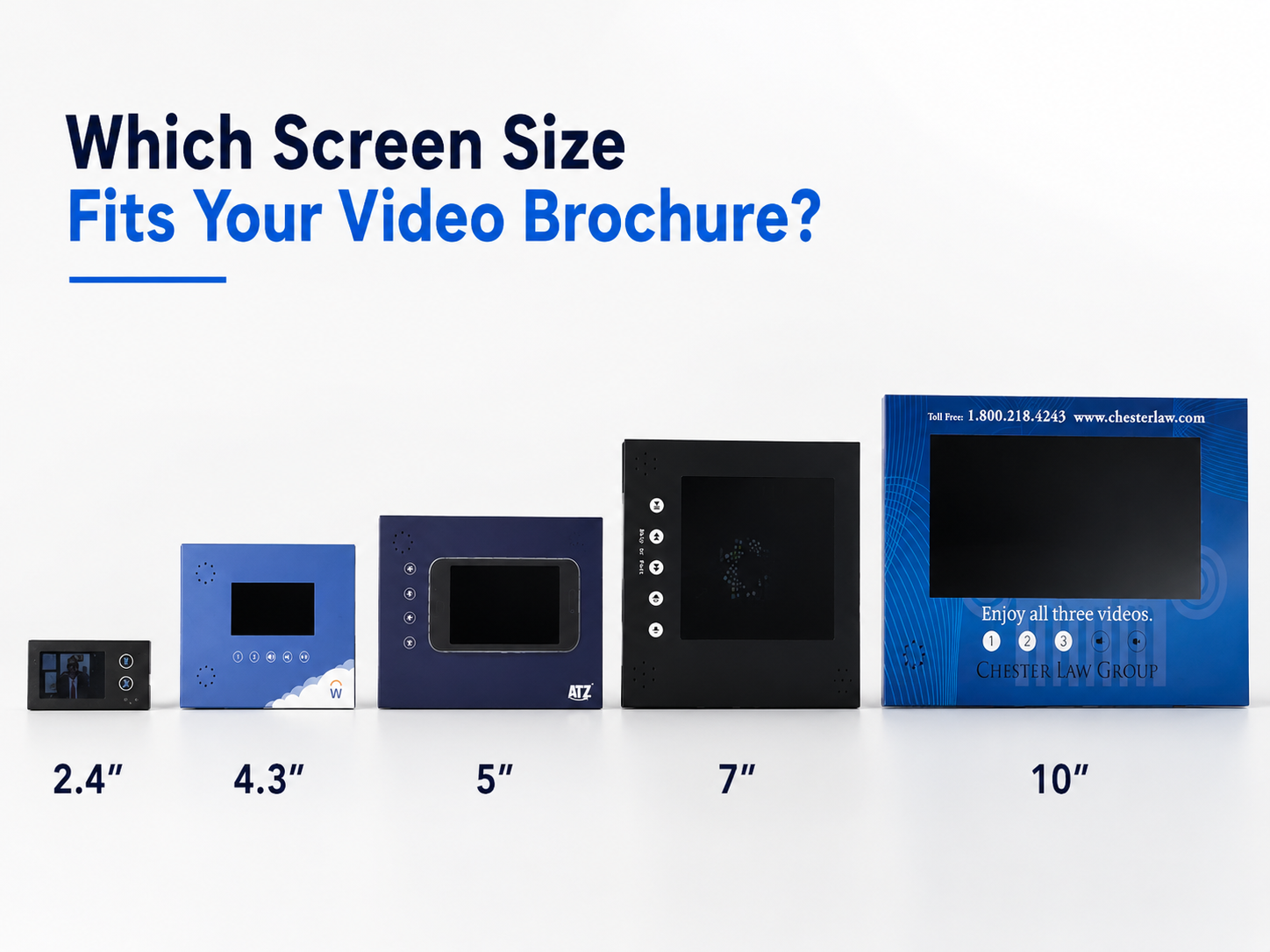
Choose 2.4 inches for compact messages, 4.3 or 5 inches for flexible B2B presentations, 7 inches for premium and detailed content, and 10 inches when the video must dominate a large-format presentation.
Share your audience, content length and presentation setting for a suitable screen-size recommendation.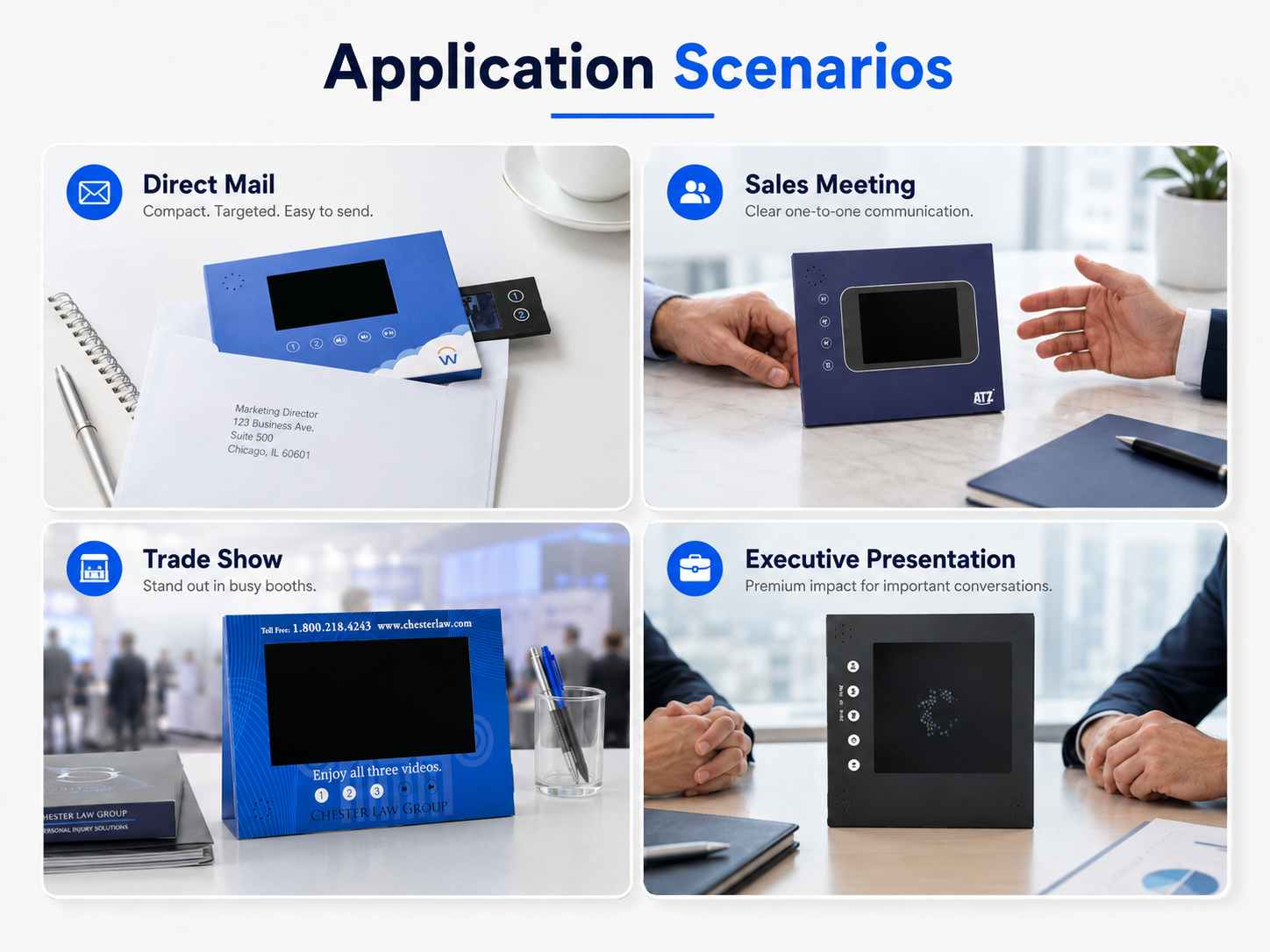
FAQ
Is a larger video brochure screen always better?
No. A larger screen improves visibility, but it also increases the brochure size, weight and cost. The correct choice depends on the viewing environment and content.
Which screen size is suitable for an A5 video brochure?
A5 formats commonly work with 4.3-inch, 5-inch or selected 7-inch screens, depending on the layout and printed content.
Which screen size is best for mailing?
A 2.4-inch or 4.3-inch screen is often more practical for mailing because the finished brochure can remain relatively compact.
When should I choose a 10-inch screen?
A 10-inch screen is most suitable for A4 presentations, detailed product demonstrations, showrooms and situations where several people may view the content.
 EN
EN
 AR
AR BG
BG HR
HR CS
CS DA
DA NL
NL FI
FI FR
FR DE
DE EL
EL HI
HI IT
IT JA
JA KO
KO NO
NO PL
PL PT
PT RO
RO RU
RU ES
ES SV
SV IW
IW ID
ID LV
LV LT
LT SR
SR VI
VI SQ
SQ ET
ET HU
HU TH
TH TR
TR FA
FA MS
MS